

Resource Bank
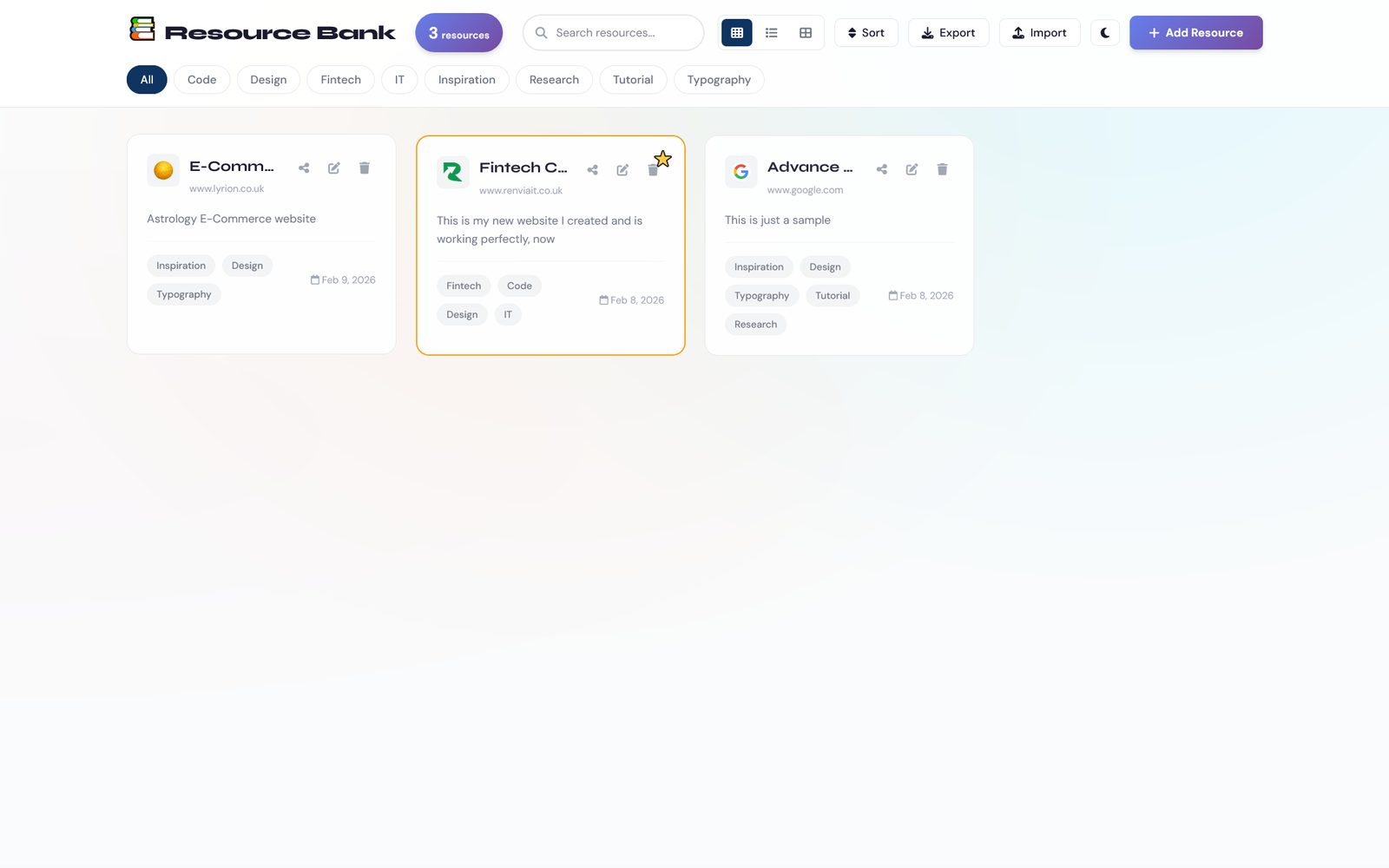
A structured personal research library, not a read-later app and not a cloud SaaS clone. Save links with real metadata and tags, search instantly, export the whole library as JSON, all stored locally with no account and no subscription.
01 / The problem
research-library-blush.vercel.app
Before I built this, I ran a short study with nine working professionals, designers, engineers, and researchers, about how they actually manage the links, references, and inspiration they collect. Eighty three percent said they relied on manual tagging as their main system. Sixty seven percent said they had lost track of a resource they knew they'd saved somewhere and simply couldn't find it again. That's not a minor inconvenience, that's a research workflow quietly failing most of the time.
Browser bookmarks have no metadata and no real search. Cloud tools like Notion or Raindrop solve that, but they come with a monthly fee and your data sitting on someone else's server.
The people I talked to weren't looking for more features. They were tired of the trade-off itself: either a flat, dumb bookmark list they own outright, or a capable tool they're renting and can lose access to the day they stop paying.
02 / The thinking
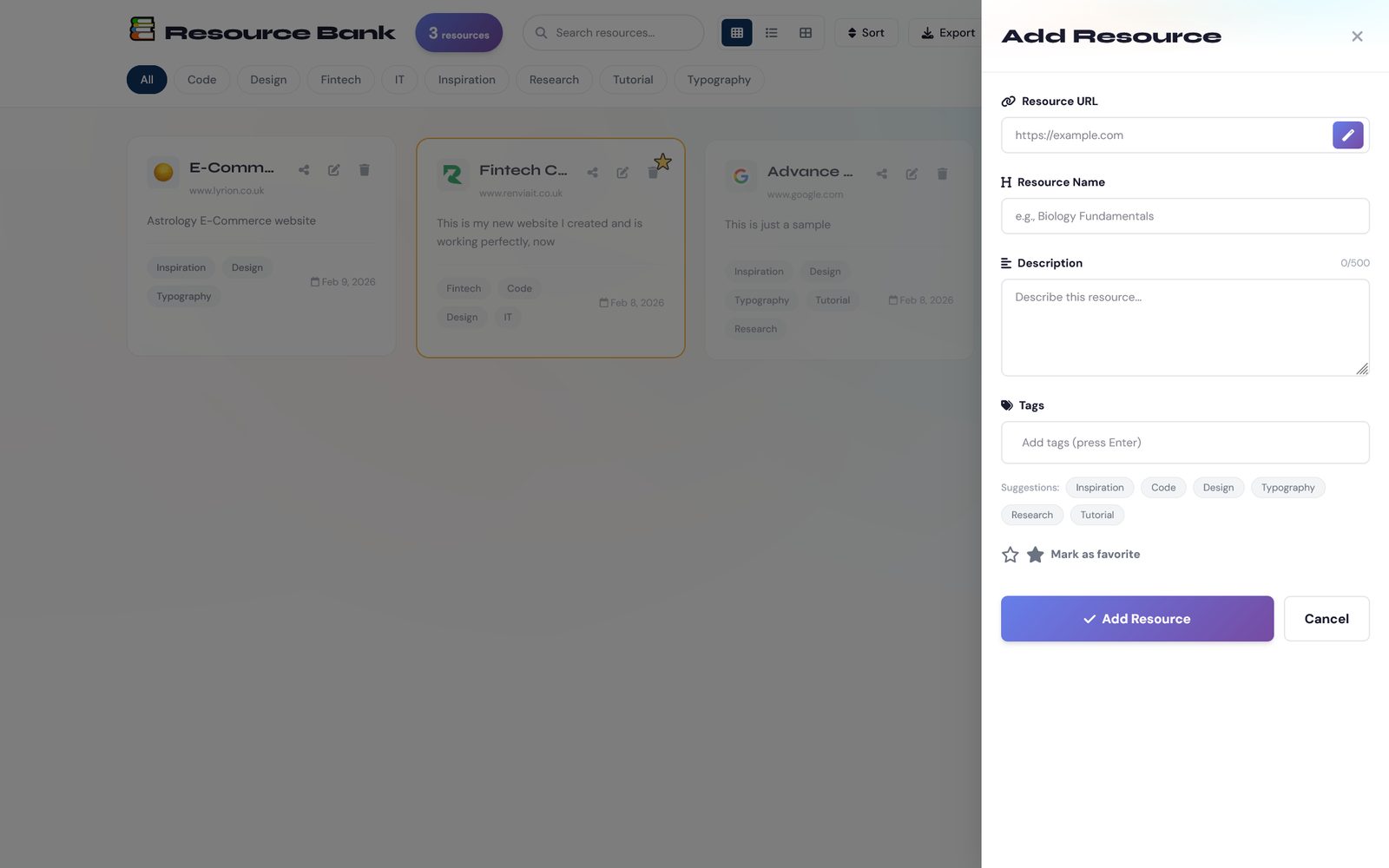
The research pointed at manual tagging as the exact habit people were already abandoning, so I rejected making tagging the primary system and leaning on it more. Instead the entry point is automatic metadata extraction: paste a URL and the title, description, and favicon populate themselves, with smart tag suggestions layered on top rather than required upfront.
I also rejected requiring that automation, since the same research told me some of these professionals don't trust an automatic system with their reference library. So the design followed a progressive enhancement approach on purpose: manual entry works completely on its own, full stop, and automatic extraction sits on top of it as a convenience, never a dependency.
The core architectural decision was local-first, always, treating data sovereignty as a design value rather than a technical detail. No accounts, no cloud sync, no background analytics. Search and filtering had to execute in under fifty milliseconds, because a research tool that makes you wait to find something you already saved has failed at the one job it exists to do.
How it compares to the obvious alternatives
| Feature | Browser bookmarks | Raindrop / Notion | Resource Bank |
|---|---|---|---|
| Rich metadata | No | Yes | Yes |
| Structured tagging | No | Yes | Yes |
| Full-text search | No | Yes | Yes |
| No subscription | Yes | No | Yes |
| No vendor lock-in | Yes | No | Yes |
| Privacy-first, no tracking | Yes | No | Yes |
The trade-off is intentional: no cloud sync across devices. This is built for people who'll take speed, privacy, and ownership over that convenience.
03 / The business and the users
Built for individual professionals rather than teams: freelancers juggling multiple clients, researchers organizing papers, designers curating inspiration and UI patterns, developers saving documentation. Every one of them has the same underlying complaint, that their current system either does too little or costs too much for what is fundamentally personal organization.
The business thesis mirrors Recipe Finder's: no subscription fatigue, a free tier that's actually complete rather than a crippled trial, with any future premium tier (cloud sync, team sharing) sitting strictly on top of a product that already works fully without it.
04 / The constraints
research-library-blush.vercel.app
Zero external dependencies, built entirely in vanilla JavaScript with a structured localStorage layer that includes autosave, an undo history, and error recovery, so a browser crash doesn't cost someone their library. Full import and export as JSON was treated as a feature, not an escape hatch, since portability is what actually earns the trust needed to get someone to store something as personally valuable as their research library outside the cloud.
Accessibility wasn't an afterthought either: keyboard shortcuts for search, new entries, and closing modals, WCAG AA color contrast, and proper ARIA labelling throughout, since a tool for knowledge workers has to work for knowledge workers who navigate by keyboard.
05 / The outcome
Live, fast, and privacy-first, with multiple export formats and a search that stays under its fifty-millisecond target even with a large library. The moment I knew the product had landed: when I told an early user cloud sync wasn't coming, they paused, and then asked how to export their library instead of asking when sync would ship. That's someone who understood exactly what they were being offered, and decided the trade was worth it.
9professionals interviewed pre-build
83%relied on manual tagging
67%had lost a saved resource
<50mssearch and filter response